Copying an order into a sheet
The order already exists in one system. Someone retypes it into another, and the two disagree by Friday.
Every business has a job that one person repeats: copying an order into a sheet, chasing an update, sending the same message forty times. That job is where automation belongs, not somewhere clever.
If a human does it the same way twice a week, it is a candidate. If they do it forty times a day, it is overdue.
The order already exists in one system. Someone retypes it into another, and the two disagree by Friday.
Someone asks where a job is. Someone else opens three tabs to find out. Neither of them is doing the work.
Same wording, different name and order number, every single day, by hand.
The gate is the part most automation skips, and the part that decides whether you can trust it.
A schedule, a webhook, or a row appearing.
Pull what the run needs from the tools you pay for.
Rules first. A model only where a rule cannot answer.
Draft, transform, render, whatever the run is for.
An eleven check gate on the mytechguide pipeline. Nothing continues until it passes.
Only after the gate. Never before it.
In plain language, so you can answer why three weeks later.
Your store, your CRM, your sheets, your inbox, your chat. Connected properly, with the credentials held in one place instead of pasted into four.
Runs that fire on a schedule or the moment something happens, with retries and rate limit handling so a busy hour does not break the day.
Nothing publishes, sends or charges until it passes a check. On the mytechguide pipeline that gate runs eleven checks before a single article goes live.
When one step fails you rerun that step, not the whole run. A failure costs you minutes rather than the night.
A second run checks the first and tells a person before your client notices. An automation that dies quietly is worse than none.
Plain language, not stack traces, so anyone on your side can answer what happened and when.
The generator that writes a product report: the webhook, the check for whether the item is new, the two store fetches, the research call, the model, then the parse and the write back.
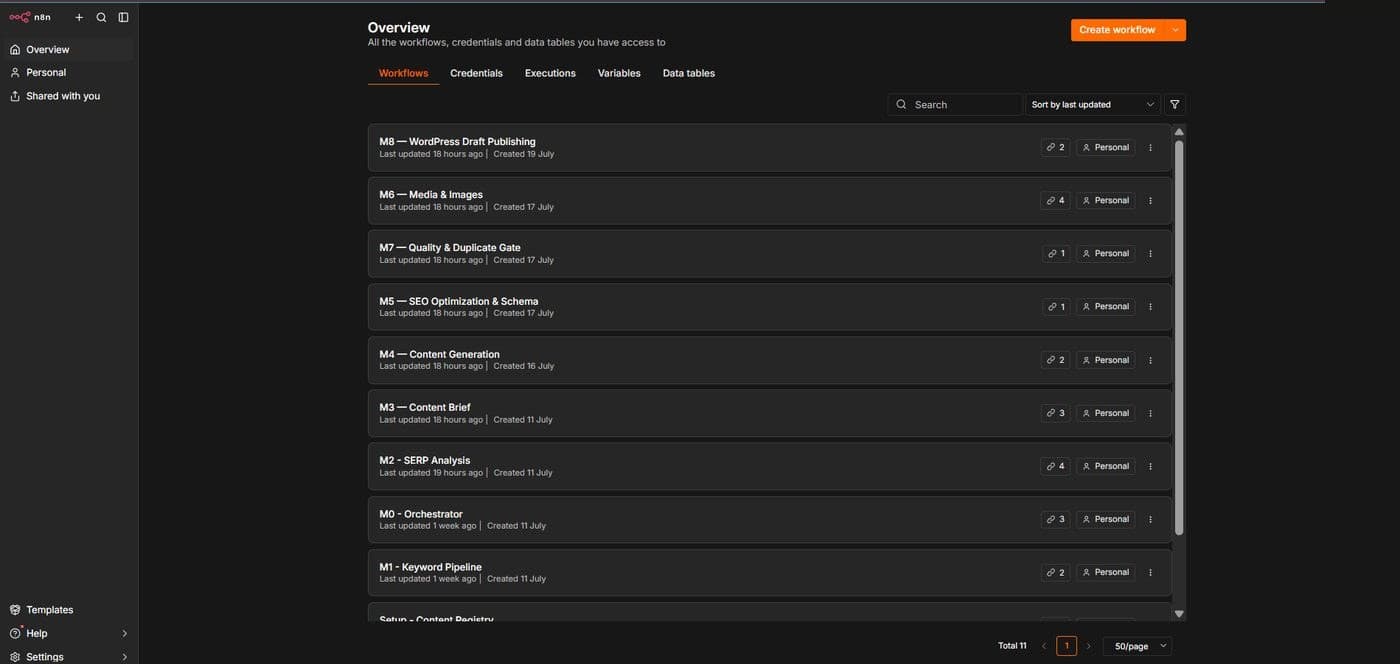
Keyword research by hand, one topic at a time. Competitor pages opened and read manually. Publishing happened whenever somebody had a spare afternoon.
Nine independent sub-workflows that research, write, optimise and draft around five SEO articles a day. An eleven check quality gate sits in front of the publish step, and every stage can be rerun on its own when it fails, so one bad step does not restart the pipeline.
Publishing moved from whenever there was time to every day, without anyone being hired to do it.
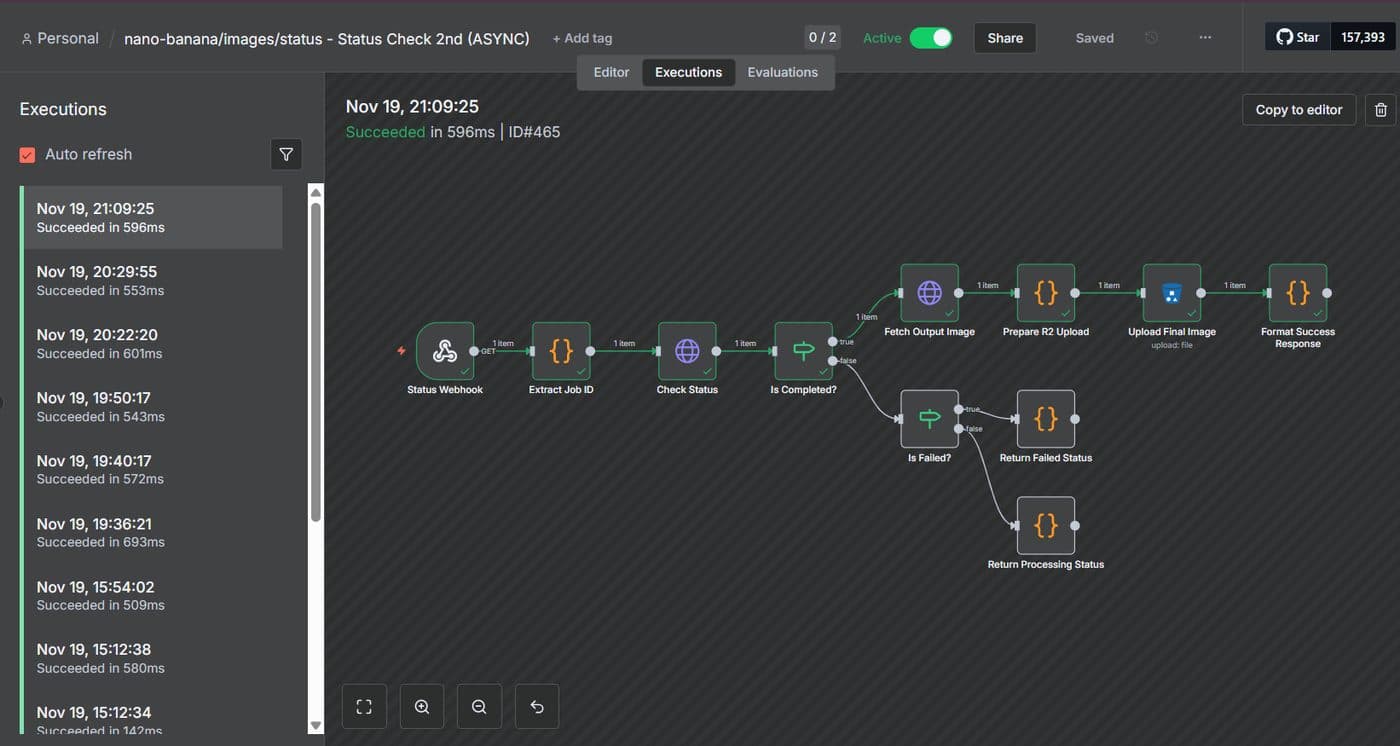
Images had to be prompted, generated, downloaded and uploaded by hand for every article, which is exactly the kind of job that quietly eats an afternoon.
Text and image go in, finished assets come out. Prompts are composed by one model, rendered by another, polled until ready rather than blocking, and stored back in Cloudflare R2, with error handling at every hop.
Three services now run as one job that nobody has to sit and watch.
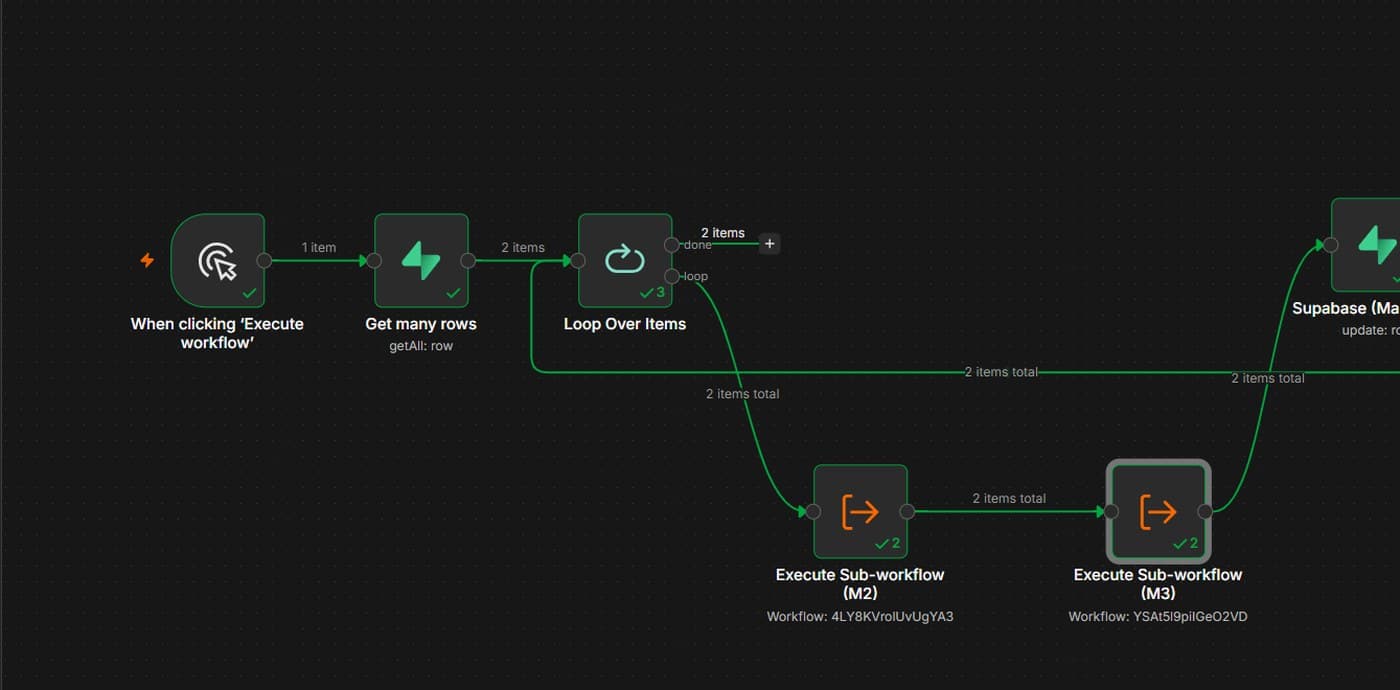
Nine workflows that each work on their own are still nine things somebody has to start in the right order, and then check.
A parent workflow reads the queue, loops over the rows, calls each stage as a sub-workflow, and marks the row done only after the stage it depends on has actually finished. The screenshot is a completed run: the item count is printed on every edge, so a stage that drops a row is visible rather than silent.
One click instead of nine, and a run you can read afterwards without opening logs.
The tools you already pay for, talking to each other. n8n is how, not what you are buying.
Anything with an API can be added. Where there is no API, the job usually still has a route, and that gets scoped honestly before you are quoted for it.
The job one person repeats most often and hates most. It is usually copying something from one system into another. That one pays for itself first and proves the rest.
Runs retry, failures are logged in plain language, and a second workflow tells a person rather than letting the queue fill up silently. Fixes go to the stage that broke, and that stage reruns on its own.
Not here. A gate sits in front of anything that publishes, sends or charges. On the mytechguide pipeline that gate runs eleven checks, and nothing goes live until it passes.
Either way works. Self hosted or cloud, the workflows are yours and they export as files you keep. Nothing is locked to an account you cannot reach.
No. The two pipelines described on this page run for a single publisher and a small team. The size that matters is how often the job repeats, not how many people you employ.
Tell me what it is, how often it happens and which tools it touches. You get back whether it is worth automating, and what it would take. Sometimes the answer is that it is not worth it yet.